









Throughput and Latency get tossed around in nearly every performance review, system design meeting, and cloud cost optimization discussion—yet most people secretly struggle to explain the difference without defaulting to vague hand-waving about “speed.” That vagueness costs real money and frustrates real users.
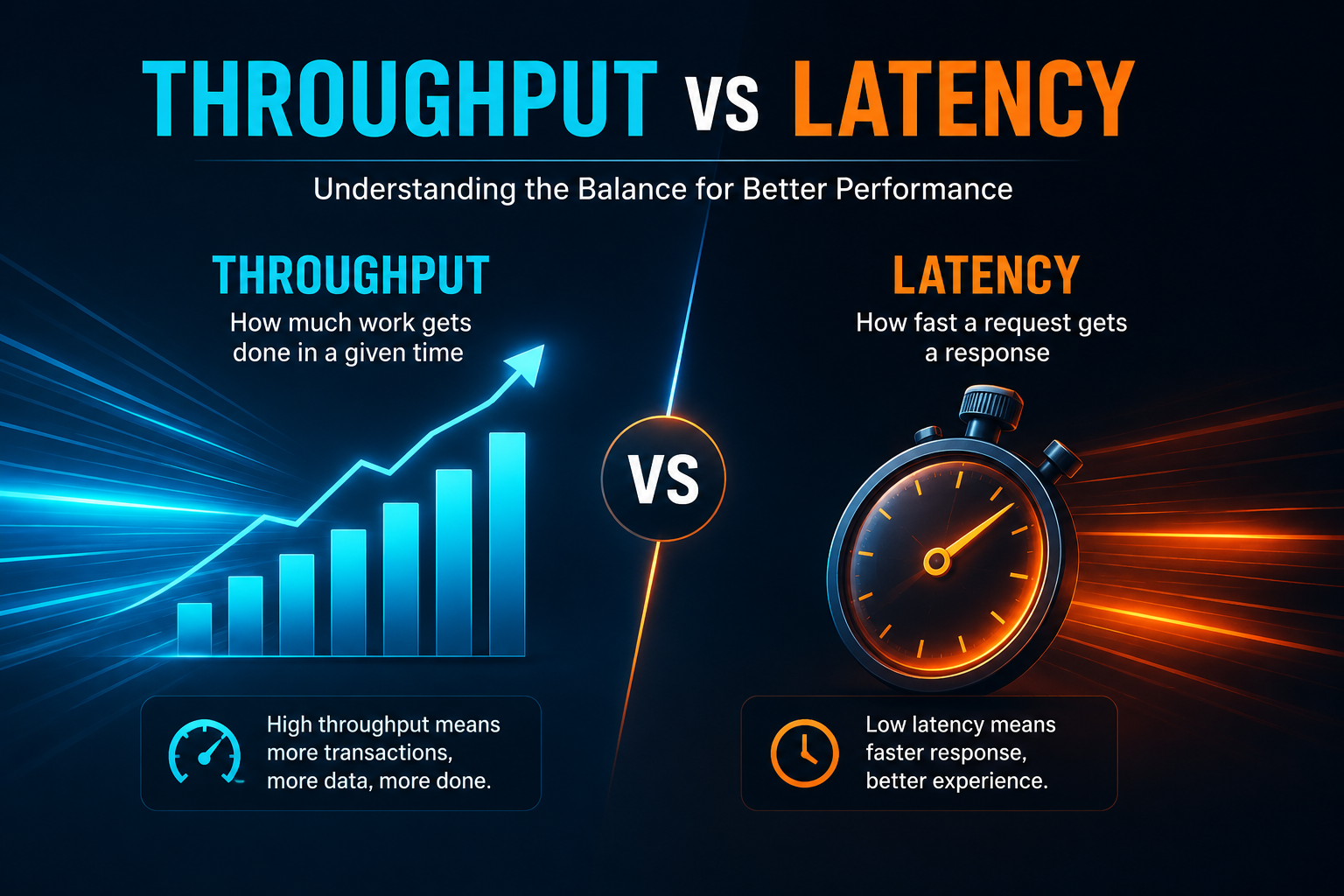
Here is the hard truth: latency is your system’s response time for a single action, while throughput is its capacity to handle many actions at once. They are not interchangeable, they are not the same thing, and optimizing for one often comes at the direct expense of the other.
Here is why that distinction matters right now. When your e-commerce site crashes during a flash sale, throughput was your bottleneck. When your mobile app feels sluggish on every tap, latency was your problem. The fixes for each scenario look entirely different.
So, before you throw more servers at a latency issue or micro-optimize code to fix a throughput problem, you need to know exactly what you are measuring and why. This guide walks you through both metrics, exposes their hidden tradeoffs, and gives you a practical framework for deciding which one deserves your attention first.
What Is Latency?
Latency is the time delay between initiating an action and seeing its result. Think of it as the wait time. When you click a link, latency is the milliseconds that tick by before the page starts loading. When you make an API call, latency is the round-trip time from request to response.
Latency gets measured in units of time—milliseconds, microseconds, or even nanoseconds depending on the system. Lower latency means faster responses. Higher latency means more waiting.
Common examples of latency in action:
- A video call where you keep talking over each other? That’s latency.
- A web page that takes three seconds to start rendering? Latency.
- A database query that returns in 50ms versus 500ms? That’s a latency difference your users will feel.
In networking, latency often gets measured as Round-Trip Time (RTT)—the time it takes for a packet to go from point A to point B and back again. Many applications need that acknowledgment before sending more data, so RTT matters enormously.
What Is Throughput?
Throughput measures the volume of work a system completes over a given period. While latency asks “how fast?”, throughput asks “how much?”
Throughput gets measured as a rate—requests per second, transactions per second, bits per second, or packets per second. Higher throughput means the system can handle more load. Lower throughput means it’s processing less work in the same timeframe.
Think about downloading a large file. The speed you actually see on your screen? That’s throughput. It’s the real-world transfer rate, factoring in packet errors, retries, network congestion, and all the messy realities of actual data transfer.
Throughput matters for:
- Streaming services that need to push massive amounts of data
- E-commerce platforms handling thousands of transactions per minute
- Data pipelines processing enormous datasets
- Any system where volume matters more than individual response speed
The Highway Analogy
Here’s a simple way to visualize the difference:
Picture a highway. Latency is how long it takes one car to travel from point A to point B. Throughput is how many cars can pass a given point per hour.
You could have a highway with extremely low latency—cars zooming along at 100 miles per hour. But if it’s a single-lane road, throughput stays limited. Conversely, you could have a ten-lane superhighway with cars moving slowly due to congestion. Latency is terrible, but throughput might still be high because so many cars are moving through.
The catch? In real systems, you rarely get both perfect. Pushing for higher throughput often means accepting higher latency. Chasing lower latency frequently caps your maximum throughput.
Key Differences Between Throughput and Latency
| Aspect | Latency | Throughput |
|---|---|---|
| What it measures | Time per single operation | Number of operations per time unit |
| Unit of measurement | Milliseconds, seconds | Requests/second, bits/second, transactions/second |
| What it tells you | How responsive the system feels | How much capacity the system has |
| Ideal scenario | Lower is better | Higher is better |
| User impact | Affects individual experience | Affects system scalability |
| Critical for | Real-time apps, gaming, VoIP | Batch processing, streaming, high-volume APIs |
The Tradeoff: You Can’t Always Have Both
Here’s where things get interesting—and where many engineering teams make costly mistakes.
Throughput and latency exist in a fundamental tension. As you push a system to handle more requests (higher throughput), those requests start competing for limited resources. Queues form. Context switching increases. Bottlenecks emerge. Latency climbs.
The relationship isn’t linear. At low utilization, latency stays close to the raw service time. But as utilization climbs past roughly 80 to 85 percent, queues grow faster than intuition suggests. At 100 percent utilization, latency tends toward infinity—the system simply cannot catch up.
This explains why SREs insist on capacity headroom. Running at 60 to 70 percent keeps latency stable and leaves room for traffic spikes. Running at 95 percent might look “efficient” on a dashboard, but it’s a ticking time bomb. A small increase in load causes cascading delays.
The sweet spot: Every system sits on a performance frontier. Push throughput higher and latency rises. Push latency lower and throughput falls. The right balance depends entirely on your application’s requirements.
When Latency Matters More
Some applications simply cannot tolerate delay. If you’re building:
- Trading platforms—a single millisecond can mean millions gained or lost
- Voice and video calling—people notice delays immediately
- Online gaming—lag equals frustration
- Autonomous vehicles—delays create safety risks
In these scenarios, you optimize for latency first. You might cap throughput intentionally to keep response times predictable. Users care far more about a snappy experience than whether the system could theoretically handle 10 percent more load.
As one engineering principle puts it: default to latency when a human is waiting.
When Throughput Matters More
Other applications prioritize volume over individual speed:
- Batch data processing—nobody cares if one record takes 100ms when you’re processing billions
- File downloads and backups—total time matters more than per-packet speed
- Streaming services—sustained bitrate matters more than individual frame latency
- Analytics pipelines—processing massive datasets efficiently
In these cases, you optimize for throughput. You might accept higher per-operation latency to batch more work together, reduce overhead, and maximise overall capacity.
How They Interact in Real Systems
Latency and throughput don’t exist in isolation. They influence each other in practical ways:
- Network example:A satellite connection might have enormous bandwidth potential (high theoretical throughput) but hundreds of milliseconds of latency. Downloading a large file might still be fast because throughput dominates. But a real-time video call? Unusable.
- Database example:A database that batches writes can achieve much higher throughput—but individual writes wait longer to be grouped, increasing latency. Meanwhile, a database optimized for low latency might process each write immediately but handle far fewer writes per second.
- API example:A web server at 50 requests per second might deliver 100ms latency. Push it to 200 requests per second, and latency might jump to 500ms as requests queue up, threads block, and resources get contested.
Measuring What Actually Matters
Here’s a mistake I see constantly: teams obsess over average latency while ignoring the tail.
Average latency can look fantastic while 5 percent of your requests take ten times longer. Those slow requests frustrate users, trigger timeouts, and burn through error budgets.
Monitor percentiles—p95, p99, p99.9. They reveal user experience far better than averages. A system with 100ms average latency but 500ms p99 latency feels slow to a significant portion of users.
Similarly, throughput numbers without context are meaningless. 10,000 requests per second sounds impressive—until you realize the system only achieves that with tiny payloads and simple operations. Test under realistic loads. Understand your system’s breaking point.
Practical Strategies for Balance
You can’t eliminate the tradeoff entirely, but you can manage it intelligently:
- Add capacity.More servers, more cores, more bandwidth. This shifts the curve rather than eliminating the tradeoff, but it gives you room to breathe.
- Optimize the critical path.Identify the operations that actually impact user experience and optimize those for latency. Everything else can priorities throughput.
- Use adaptive batching.Batch operations, when possible, but set a maximum time limit so no single operation waits too long.
- Implement queue management.When queues form, latency spikes. Use load shedding, prioritization, and backpressure to keep queues manageable.
- Design for the workload.A system built for real-time trading looks nothing like a system built for overnight data processing. Choose your metrics based on what your users actually need.
The Bottom Line
Throughput vs latency isn’t about choosing one over the other—it’s about understanding what your system needs and making intentional tradeoffs.
Latency tells you how responsive your system feels. Throughput tells you how much it can handle. Both matter. But which one matters more depends entirely on your application, your users, and your business requirements.
Measure both. Monitor the right percentiles. Understand your system’s breaking point. And never assume that high throughput automatically means good performance—or that low latency means you’re handling enough load.
The best systems balance throughput and latency intentionally, not accidentally.