








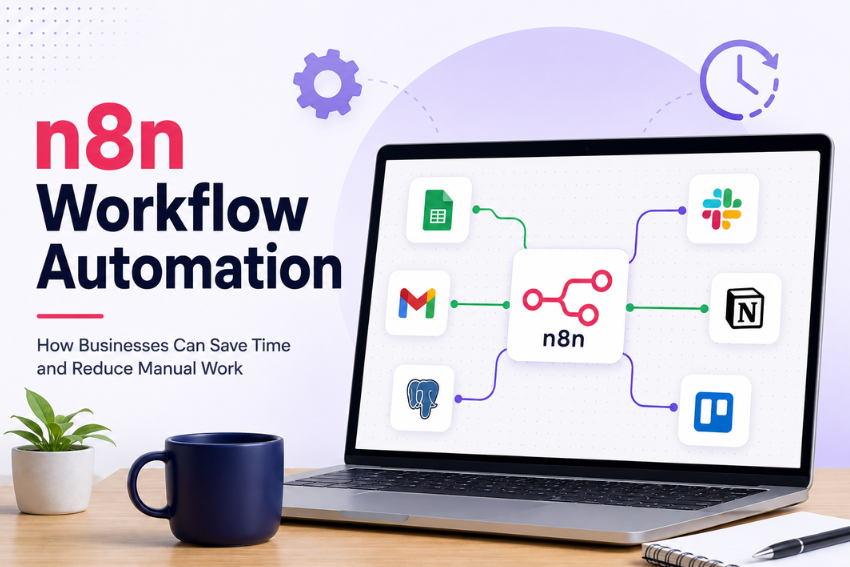
Every business has tasks that quietly eat up the day. Copying data from one app to another. Sending the same email again and again. Updating spreadsheets. Checking forms. Creating tasks. Notifying team members. None of this looks huge at the moment, but over time it becomes a real drain. That is why many companies are now looking at n8n workflow automation as a practical way to reduce manual work.
n8n helps businesses connect apps, move data, and create workflows that run on their own when certain actions happen. You do not need someone to watch every tool all day. You can set up a workflow that handles repeatable steps and keeps the process moving. Simple idea. Big impact.
Why Manual Work Slows Businesses Down
Manual work often starts small. A lead comes through a website form. Someone copies the details into a CRM. Then they send a message to the sales team. After that, they update a spreadsheet and send a follow-up email. That may take five or ten minutes.
Now imagine doing that hundreds of times every month. The time adds up fast. So do mistakes. A name may be spelled wrong. A lead may be missed. A field may be left blank. A task may not get assigned.
When this happens across sales, support, HR, finance, and operations, your team spends too much time fixing avoidable issues.
Automation helps reduce that mess. It lets your systems handle routine parts while your people focus on work that needs judgment, planning, and real human attention.
What Makes n8n Useful for Business Workflows?
n8n is a workflow automation tool that connects different apps, APIs, databases, and business systems.
A workflow in n8n is made of steps. These steps are called nodes. One node can receive data. Another can check a condition. Another can send an email, create a record, update a file, or notify a team member.
For example, when a customer fills out a contact form, n8n can:
- Receive the form data.
- Check whether the required information is available.
- Add the lead to your CRM.
- Notify the sales team.
- Send a thank-you email.
- Create a follow-up task.
No one has to copy and paste the same details again. That is the real value. It removes boring work from the daily routine.
Saving Time Across Daily Business Tasks
Time is one of the clearest gains from n8n workflow automation. Your team may not notice how much time is lost in small tasks until those tasks are removed. Then it becomes obvious.
- Sales teams spend less time entering lead details.
- Support teams spend less time sorting requests.
- Marketing teams spend less time preparing routine reports.
- Finance teams spend less time checking payment updates.
- HR teams spend less time creating onboarding tasks.
n8n workflow automation can help connect these steps so work moves faster from one tool to another. It does not mean every task should be automated. Some decisions still need people. But if a task follows the same rules every time, why should someone repeat it by hand?
Reducing Errors Before They Become Problems
People make mistakes, especially when doing repetitive work. The issue often comes from the process itself. When employees copy data between tools all day, errors are likely to happen. A wrong number, missed field, duplicate record, or delayed message can create problems later.
n8n workflow automation can reduce those risks by following the same workflow each time. If a workflow is built to check required fields, remove duplicate entries, and send data to the right place, it can help keep records cleaner. That means fewer corrections, less backtracking, and fewer awkward customer follow-ups.
Common Business Processes You Can Automate with n8n
Every business has different needs, but some workflows are common across many teams.
Lead Management
Lead management is a strong example. When a new lead comes in, n8n can send the details to your CRM, assign the lead, alert the sales team, and send a response email. This reduces the time between a prospect submitting an inquiry and someone from your company taking action.
Customer Support
Customer support is another good fit. n8n can collect support requests, create tickets, tag them by issue type, and notify the right team member. Your support employees can spend less time organizing requests and more time helping customers.
Marketing Processes
Marketing teams can use n8n to move form submissions into mailing lists, update campaign records, notify sales teams, and prepare basic reports. This can cut down the time spent moving information between different marketing platforms.
Finance Tasks
Finance teams can use automated workflows for payment alerts, invoice updates, and overdue payment reminders. Employees do not have to check multiple systems throughout the day just to find out whether a payment has arrived.
Employee Onboarding
HR teams can use n8n for employee onboarding tasks, welcome emails, document notifications, and internal updates. The best place to start is simple. Look for the task your team repeats most often.
Connecting the Tools Your Team Already Uses
Most businesses do not run on one tool.
They use CRMs, email platforms, spreadsheets, project boards, chat apps, billing tools, databases, and custom software. The problem starts when these tools do not talk to each other. That is where n8n workflow automation can help.
Instead of forcing employees to move data by hand, n8n workflow automation can pass information between tools. A new record in one app can trigger an action in another. A status change can send a message. A form entry can create a task.
This helps teams work with the tools they already have instead of replacing everything at once.
How to Decide What to Automate First
Do not start by trying to automate everything. That usually creates more confusion. Start with one process.
Ask your team a few simple questions:
- Which task do you repeat every day?
- Where do errors happen most often?
- Which process takes longer than it should?
- Which task depends on copying data between tools?
- Which update do people forget to send?
The answers will show you where automation can help first. A good first workflow should be clear, repeatable, and easy to measure.
For example, moving website leads into a CRM is a better first step than trying to rebuild your entire sales process.
Start small. Learn from it. Then expand.
Planning a Workflow Before You Build It
Before creating a workflow in n8n, map the process. Write down what starts the task. Then list every step that happens after that.
- Who receives the data?
- Which tool stores it?
- What needs to be checked?
- Who gets notified?
- What happens if something is missing?
This simple mapping can reveal problems before any workflow is built. You may find steps that are no longer needed. You may find duplicate work. You may also discover that two teams are handling the same task in different ways. Once the process is clear, the workflow becomes easier to build.
Keep Human Review Where It Matters
Automation should not remove human judgment from every process. Some tasks need review. A workflow can collect lead data, but a salesperson may still decide how to approach the prospect. A workflow can organize support requests, but a support agent still needs to solve the actual problem.
That balance matters. Let automation handle routine steps. Let people handle the work that needs context, empathy, and decision-making. This is where automation works best.
Why Custom n8n Development Can Help
Basic workflows are often easy to build, but some business processes need more planning. A company may need to connect private software, work with custom APIs, clean unusual data formats, or build workflows with several decision paths. That is where custom development becomes useful.
For example, a business exploring AI consulting may want expert support to identify where automation can improve sales, support, finance, or operations without adding unnecessary complexity.
Some companies may also need machine learning development when workflows depend on data patterns, scoring models, or automated sorting.
A workflow could use this type of setup to route support tickets, flag unusual activity, or group customer requests based on past data. The point is not to make the system complicated. The point is to make it useful.
Tracking the Value of Automation
After launching a workflow, measure what changed.
- Did the task take less time?
- Were fewer mistakes made?
- Did customers get faster replies?
- Did employees spend less time on administrative work?
- Did the process become easier to manage?
These answers help you decide whether the workflow is doing its job. You may find that one small workflow saves several hours each week. You may also find that the workflow needs changes. Both outcomes give you useful information. Automation should solve a real business problem, not just look good on paper.
What Businesses Should Watch After Launch
Once a workflow is live, it still needs attention. Apps change. Fields change. Team processes change. A workflow that works well today may need small updates later.
Check failed runs. Review alerts. Make sure the right people know when something breaks. A good workflow should not leave your team guessing. It should make work easier to track and manage.
Ready to Remove the Busywork?
Manual tasks may look harmless, but they quietly take time away from work that matters. n8n workflow automation gives businesses a practical way to connect tools, reduce repeated steps, and move data without constant human effort.
Start with one workflow. Pick a task your team handles again and again. Map it. Remove steps you no longer need. Automate the predictable parts. Then measure the result.
That is how businesses can save time without making work more complicated. Once the first workflow works well, the next automation opportunity becomes much easier to spot.