







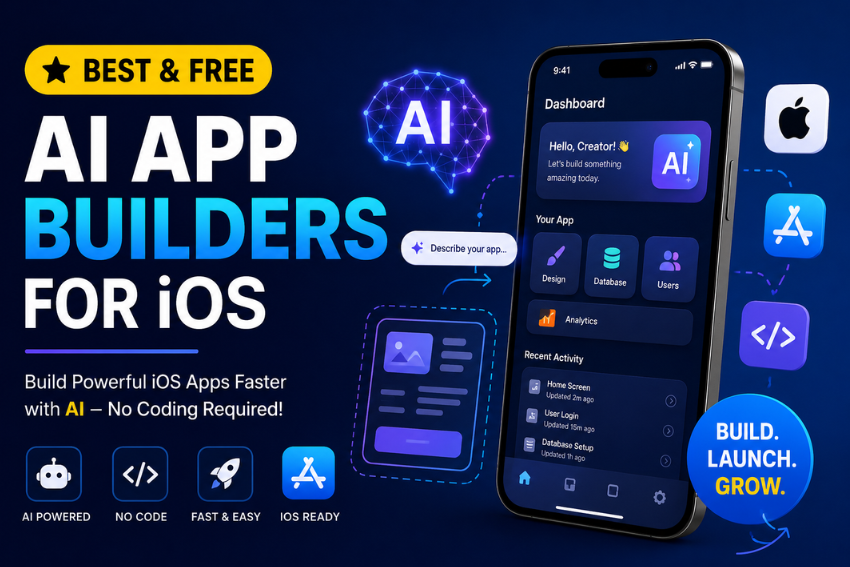
The AI App Builders for iOS are revolutionizing the iPhone app development process for entrepreneurs, startups, students, and creators. Doing not need a complete development crew and years of coding expertise to launch an iOS app. Today’s AI-driven platforms can create layouts, write code, link databases and even publish apps to the App Store.
When it comes to developing an iPhone application without thousands of dollars, this guide will help you select the best free tool around. I worked with the most popular platforms, examined their free options, and concentrated on what is effective for iOS app development.
List of Top 7 Free AI App Builders for iOS
| Tool | Best For |
|---|---|
| FlutterFlow | Best overall for real iOS apps |
| Glide | Beginners and business apps |
| Lovable | AI generated app prototypes |
| Bolt.new | Prompt based app creation |
| Firebase Studio | Developers using Google tools |
| Thunkable | Education and simple mobile apps |
| Adalo | Internal tools and MVPs |
The best free AI app builder for iOS is FlutterFlow because it creates native iOS apps, offers a generous free plan, and includes AI assisted development features.
What Are AI App Builders for iOS?
AI app builders are platforms designed to streamline the process of app building with the aid of artificial intelligence. Instead of writing every line of code manually, you describe your app idea and the platform generates screens, workflows, database structures, and code.
Most modern tools offer:
- Natural language prompts
- Drag and drop interfaces
- AI generated UI designs
- Automatic database setup
- API integration assistance
- Code generation for iOS apps
- One-click deployment options
These platforms are especially useful for building MVPs, business apps, booking apps, directories, community apps, and productivity tools.
Who Should Use a Free AI App Builder?
A free AI app builder makes sense if you are:
- A startup founder validating an idea
- A small business owner creating a customer app
- A freelancer building client prototypes
- A student learning app development
- A content creator launching a niche app
- A marketer testing a mobile product
If you need a complex app with advanced native features, heavy gaming, or custom hardware integration, traditional iOS development may still be the better option.
7 Best Free AI App Builders for iOS in 2026
Below are the top AI App Builders for iOS that enable you to create, customize and deploy intelligent mobile apps with ease. Ideal for creators, startups, and developers looking for rapid, AI-driven no code innovation.
FlutterFlow – Best Overall Free AI App Builder for iOS
FlutterFlow is a strong visual AI app builder that makes it easy for users to build superior quality native iOS apps with little coding. It offers drag and drop development, AI assisted features and Flutter technology, making it ideal for startups, businesses and developers looking to create scalable mobile apps.
Free plan highlights
- Visual app builder
- AI code generation assistance
- Firebase integration
- Live iPhone preview
- Exportable Flutter code
Why it stands out
FlutterFlow feels closer to professional app development than most no code tools. You can start visually and later add custom code if your app grows.
Best for
- Startups
- SaaS founders
- Marketplace apps
- Productivity apps
- Apps that may scale later
Limitation
Publishing to the App Store and advanced features require a paid plan.
My take: If I were building a real business app for iPhone today, FlutterFlow would be my first choice.
Glide – Best for Beginners
Glide is an AI-powered app builder designed for use by anyone who needs to build an app quickly, with minimal hassle. Its user-friendly interface and automation capabilities make it the perfect choice for building business tools, internal applications and customer portals without knowledge of code.
Free plan highlights
- Unlimited app building
- Google Sheets integration
- AI assisted layout creation
- Responsive mobile design
Best for
- Internal business apps
- CRM tools
- Inventory apps
- Event apps
- Team directories
Limitation
Apps are web based rather than fully native iOS apps.
My take: Glide is perfect when speed matters more than native performance.
Lovable – Best for AI Generated Prototypes
Lovable is an AI-powered development platform designed to create app interfaces and functionality from plain text. It allows the founders, designers, and entrepreneurs to test ideas quickly, create interactive prototypes, and fast-track the initial phases of the iOS app development process.
Free plan highlights
- Prompt based app creation
- AI generated UI
- Fast prototyping
- Instant previews
Best for
- Idea validation
- Startup pitches
- Client mockups
- Rapid experimentation
Limitation
Production ready mobile deployment is still evolving.
My take: Excellent for validating ideas before investing in development.
Bolt.new – Best for Prompt Driven Development
Bolt.new is an AI coding platform that enables users to create applications by verbally describing their ideas. It accelerates development, produces working code on the spot, and can easily be used in fast prototyping, MVPs and creative projects for mobile platforms.
Free plan highlights
- Natural language app generation
- Instant code creation
- Rapid iteration
- Browser based workflow
Best for
- Non-technical founders
- Hackathon projects
- Quick MVPs
Limitation
iOS deployment usually requires additional setup.
Firebase Studio – Best for Developers Using Google Tools
Firebase Studio is the AI-powered development environment from Google, which unifies Firebase services like cloud functions, hosting, databases, and authentication with intelligent coding support. Mostly suited for developers who are creating modern, data-driven iOS apps.
Free plan highlights
- Generous Firebase free tier
- Authentication
- Cloud database
- Hosting
- AI coding assistance
Best for
- Developers
- AI powered apps
- Apps needing real time data
Limitation
Requires more technical knowledge than visual builders.
Thunkable – Best for Education and Simple Apps
Thunkable is a no coding app builder that is easy to use, and it allows beginners to build useful iOS apps using its visual drag and drop interface. It offers cross platform support, live testing, and educational resources for students, educators, and first time app creators.
Free plan highlights
- Drag and drop editor
- Live testing
- iOS app support
- Educational resources
Best for
- Students
- Teachers
- Simple utility apps
- Learning app development
Limitation
Advanced customization is limited.
Adalo – Best for Internal Tools and MVPs
Adalo is a no code app builder that allows users to build mobile apps without coding through visual components and built-in databases. Ideal for small businesses, entrepreneurs, or startups aiming to launch an MVP (Minimum Viable Product), a booking system, or an application used by customers.
Free plan highlights
- Visual editor
- Built in database
- User authentication
- Basic workflows
Best for
- Membership apps
- Booking apps
- Internal company tools
Limitation
Performance can become an issue for larger apps.
Best AI App Builder by Use Case
| Use Case | Best Tool |
|---|---|
| Real iOS startup app | FlutterFlow |
| Complete beginner | Glide |
| Fastest prototype | Lovable |
| Prompt based creation | Bolt.new |
| Developer friendly stack | Firebase Studio |
| Students and educators | Thunkable |
| Internal business tool | Adalo |
AI App Builders vs Traditional iOS Development
| Factor | AI Builder | Traditional Coding |
|---|---|---|
| Time to MVP | Hours or days | Weeks or months |
| Cost | Free to low | High |
| Coding required | Minimal | Extensive |
| Customization | Medium | Very high |
| Scalability | Medium to high | Very high |
| Maintenance | Low | Higher |
For most early stage projects, AI builders offer a far better return on time and money.
Hidden Limitations of Free Plans
Before choosing a platform, understand what “free” usually means.
Common restrictions include:
- Limited app publishing
- Platform branding
- Usage quotas
- Limited AI generations
- Fewer integrations
- Reduced storage or database capacity
- No custom domain
- Limited support
Always check the current pricing page before committing to a platform.
How to Choose the Right AI App Builder for iOS
Choosing the right AI App Builder for iOS depends on your goals, technical experience, budget, and the type of app you want to create. Some platforms focus on beginners and rapid prototyping, while others offer advanced customization and scalability for growing businesses. Before making your decision, think about how you plan to use the app today and how it might evolve in the future.
Ask yourself these questions before selecting a platform:
Do I need a real App Store app?
If you plan to publish your application on the Apple App Store and want native performance, choose FlutterFlow. It offers robust development features, AI assistance, and the flexibility to build production ready iOS apps.
Do I want the easiest learning curve?
If you have little or no coding experience, Glide is an excellent choice. Its intuitive interface lets you build functional apps quickly using spreadsheets and visual components.
Do I need a prototype today?
For validating an idea or creating a quick MVP, Lovable and Bolt.new are great options. They use AI to generate app layouts and functionality from simple text prompts, helping you move from idea to prototype in minutes.
Am I comfortable with development tools?
If you already have experience with app development or want deeper control over your backend, Firebase Studio provides AI assisted coding along with Google’s powerful cloud services.
Am I learning app development?
If your goal is to learn mobile app development while building simple projects, Thunkable offers an easy visual environment with educational resources that make the learning process enjoyable.
A useful rule: pick the simplest tool that can build version 1 of your app. Complexity usually increases naturally as your product grows.
Step by Step: Build an iPhone App with AI for Free
With today’s AI App Builders for iOS, you can turn an idea into a working prototype in just a few hours. Following a structured approach helps you avoid common mistakes and ensures your app is ready for testing and future improvements.
Define Your App Idea
Start by writing a clear one sentence description of your app. Identify the problem it solves, who will use it, and the key features you want to include in the first version.
Choose an AI App Builder
Create a free account on a platform such as FlutterFlow, Glide, or another AI powered app builder that matches your project requirements and skill level.
Generate Your First App Screen
Use the platform’s AI prompt feature to describe your app. The AI will generate layouts, navigation, and basic components that you can customize later.
Add User Authentication
Enable sign in options such as email, Google, or Apple login so users can securely access your application and save their data.
Build Your Core Features
Add the essential screens and workflows that solve your users’ primary problem. Keep the first version simple and focus on delivering value.
Connect a Database
Integrate services like Firebase or Google Sheets to store user information, app content, and other important data securely.
Test Your App
Check your application using an iPhone simulator or real device. Test all screens, buttons and workflows to find bugs or usability problems before going to market.
Improve the User Experience
Adjust your design, navigation, colors, typography and speed of loading, based on the results of your testing. The little things do add up and have a big impact on user satisfaction.
Add Analytics
Integrate analytics tools to monitor user behavior, track feature usage, and identify areas for future improvements after your app goes live.
Prepare for App Store Submission
Make eye-catching screenshots, write down an optimized App Store product description, use the right keywords and make sure your app complies with the submission standards imposed by Apple before you release it.
Don’t attempt to develop all of the features at once. Create a basic version of your app, take user feedback and keep enhancing it over time. It’s an iterative process that enables you to test your idea sooner and bring down development expenses and risks.
A Fresh Perspective: Start With a Disposable App
The majority of founders make one error – they try and build the product at the end.
If you are creating an AI app, it is best to think of the initial version as a trial. Create a micro app that solves a problem for a particular set of users. Start it up, collect feedback and make modifications as needed.
The tools are free, so you will have to invest your time not money. This attitude can make it a LOT more likely to find product market fit.
Final Verdict
For those looking to create a real iPhone application with the best long term viability, FlutterFlow is the top free AI app builder for iOS users. It provides the highest Native performance, AI support, scalability and professional development features.
If you are looking for the easiest experience, use Glide, for the fastest AI generated prototypes use Lovable, and if you already use Google, use Firebase Studio.
Thankfully, you can make an account on any of these platforms without paying a dime. It is the easiest time in the history of the world to build an iOS app.
Frequently Asked Questions
What is the best free AI app builder for iOS?
FlutterFlow is the best overall choice because it can build native iOS apps and offers strong AI assisted development features.
Can I publish an iPhone app for free?
You can build an app for free, but Apple requires a paid Apple Developer Program membership to publish apps on the App Store.
Do I need coding skills to use AI App Builders for iOS?
No. Most platforms use visual editors and natural language prompts, so beginners can build functional apps without coding.
Which AI app builder is best for beginners?
Glide is the easiest platform for complete beginners because it uses spreadsheets and simple visual tools.
Are AI generated apps allowed on the App Store?
Yes. Apple allows apps created with AI tools as long as they meet App Store guidelines and provide real value to users.
Can I export the code from a free AI app builder?
FlutterFlow allows code export on certain plans. Many simpler no code tools do not provide full source code export on their free tier.