











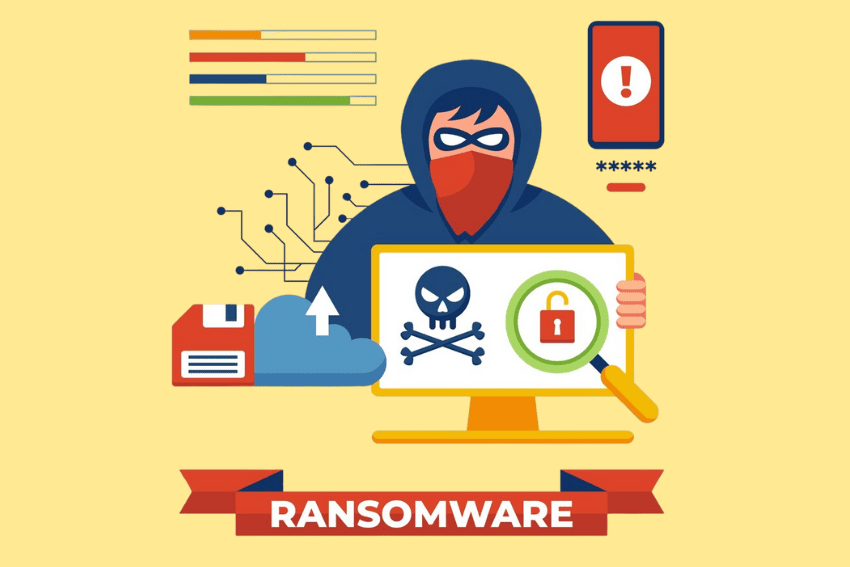
To recover from a ransomware attack effectively, you need more than just a backup, you need a well-rehearsed plan, the right tools, and a clear head. Ransomware has come a long way from just encrypting files. Nowadays, it’s a sophisticated, multi-billion-dollar criminal enterprise using data theft, extortion and continued access to networks to bring organizations to their knees.
The good news? The ransom can be recovered without paying. In fact, paying up is becoming an ever-slimmer chance. A lot of attackers take the money and run; offer you a decryption you can’t use or attack you again later.
This guide takes you through the entire ransomware recovery process from detection, to remediation, to hardening your environment to make it less susceptible to future ransomware attacks.
What Ransomware Recovery Really Means
Recovering from a ransomware attack isn’t just about getting your files back. Think of it like a housebreak. If burglars break in, you don’t just replace the stolen TV. You change the locks, install security cameras, and maybe even get a guard dog. Similarly, ransomware recovery means:
- Removing the ransomware completely from your environment
- Restoring affected systems and data from clean sources
- Resuming normal operations safely
- Ensuring the attackers can’t slip back in through a forgotten backdoor
To have fully recovered, you must treat all compromised systems as still compromised until proven otherwise. You also have to treat all data as potentially corrupted, leaked, or sold to other bad actors, no matter what the perpetrators say. This is the necessary mindset for effective recovery.
Phase 1: Immediate Response—The First Minutes Matter
The first few minutes following the ransomware detection are the most crucial. Time is of the essence because ransomware can wreak havoc on the network in minutes. What are the first steps you need to take?
Pull the Plug
Isolate any devices that are no longer secure from the network as quickly as possible. This way, there would be no lateral movement, which is what the ransomware does as it moves from device to device. If this is not possible, de-energize the devices to prevent additional spread.
Preserve Evidence
Capture forensic snapshots, store logs and document all things. This will do two things: It will make it easier for your incident response team to determine what occurred and it will be useful for legal and insurance purposes.
Alert the Right People
Inform your IT Department, key stakeholders, and, if needed, law enforcement. The CISA (Cybersecurity and Infrastructure Security Agency) strongly recommends users seek advice from federal law enforcement about any potential decrypts, as security researchers are already able to crack the ransomware’s encryption algorithms for some variants.
Resist the Panic Payoff
The payment of ransom does not ensure recovery of files and provides money for future attacks. Explore alternatives first. The data is lost for many organizations that paid, if they are able to recover it at all—and even then, only to find the attackers’ left backdoor for future access.
Phase 2: Assess the Fallout
After the immediate bleeding has been controlled, assess the damage. This is much like after a storm, one has to find out what has been damaged, before rebuilding efforts can begin.
Determine Which Systems and Files Are Affected
Visualize the effects on identities, credentials, systems and data. What servers/ workstations/ clouds are compromised? Has any sensitive data been compromised or leaked? Recent findings show that 76% of ransomware attacks now include data exfiltrated before encryption.
Identify the Ransomware Variant
Knowing which ransomware strain, you’re dealing with can open up recovery options. There are known tools for decrypting some variants that are free to use. Look to resources such as the No More Ransom project to find out if there is a solution for your variant.
Determine the Attack Vector
How did the ransomware infiltrate? Was it a phishing email, an unpatched vulnerability or a compromised third-party vendor? The SecurityScorecard Breach Report reveals that 41.4% of ransomware attacks come from a third party. If you really know the entrance, then you can shut that door for good.
Phase 3: Containment and Eradication
Containment is about stopping the spread. Eradication is about removing the threat completely.
Isolate and Quarantine
Quarantine affected hosts and revoke risky credentials. If the attackers are still active in your network, you need to cut off their access. This might mean taking entire segments of your network offline.
Remove Malware and Backdoors
This is where the real work begins. You need to:
- Scan all systems for malware
- Remove any persistence mechanisms the attackers installed
- Rotate all secrets, keys, and passwords
Attackers often leave backdoors to maintain access even after the ransom is paid. If you don’t find and remove these, you’re setting yourself up for a repeat attack.
Change Passwords and Review Access
Change passwords for all accounts, especially privileged accounts. Review all active identities and entitlements to ensure attackers haven’t created or modified accounts.
Phase 4: Data Recovery—The Heart of the Matter
This is where you actually get your data back. The approach you take depends on what resources you have available.
Restore from Clean Backups
The fastest and safest way to recover from ransomware is through clean, verified backups. But not all backups are created equal. Your backups should be:
- Stored offline or in immutable storage where ransomware can’t touch them
- Tested regularly to avoid corruption
- Comprehensive, covering all critical data and systems
- Following proper retention policies that balance storage costs with recovery needs
The 3-2-1 backup rule—three copies of your data, on two different media, with one copy offsite—is a good starting point, but modern ransomware demands more. You need to extend this to include immutable backups and air-gapped storage.
Important: Before restoring from backups, you must determine the time of the infection. You need to restore files from a date before the ransomware entered your system. If you restore from a backup that includes the ransomware, you’re just reinfecting yourself.
Use Decryption Tools
In some cases, security researchers and law enforcement release free decryption tools for specific ransomware strains. For example, Japanese authorities, in collaboration with Europol and the FBI, released a free decryption tool for Phobos and 8Base ransomware in 2025. Researchers have also cracked the encryption used by DarkBit ransomware.
Always verify the source of any decryption tool. Scammers often distribute fake decryptors that contain malware.
Consider Professional Recovery Services
If backups are unavailable and decryption isn’t an option, specialized ransomware recovery services can help. These teams have the expertise and tools to recover data from severely compromised systems.
The “Clean Room” Approach
Modern best practices recommend using a secure recovery environment—sometimes called a “clean room”—for restoration. This prevents the common failure mode in ransomware response: bringing the attacker (or their malware) back with you. You restore systems in an isolated environment, validate that they’re clean, and only then reconnect them to your production network.
Phase 5: The Great Debate—To Pay or Not to Pay?
The ransom payment question is one of the most stressful decisions you’ll face during a ransomware attack. Here’s what you need to know.
Why You Shouldn’t Pay
- No guarantee of recovery. Many attackers take the money and run, or provide non-functional decryptors
- It funds criminal enterprises. Every payment encourages more attacks
- It marks you as a target. Organizations that demonstrate a willingness to pay are targeted for subsequent attacks
- It may be illegal. Some jurisdictions don’t allow ransom payments
- Insurance may not cover it. Policies often have limitations on covering ransomware payments
Why You Might Consider It
The only legitimate reason to consider paying is if you have no backups and no other way to recover critical data that you absolutely cannot lose. Even then, it’s a high-stakes gamble.
The Bottom Line
If you pay the ransom, you still have to behave as though all your systems and data are suspect. You still need to go through all the recovery steps—containment, eradication, rebuilding, and hardening. Paying doesn’t save you from the hard work; it just adds financial loss on top of it.
Phase 6: Rebuild and Validate
Once you’ve recovered your data, it’s time to rebuild your systems properly.
Rebuild from Gold Images
Rebuild systems from known-good sources—often called “gold images”—rather than trying to clean infected systems. This ensures you’re starting from a clean slate. Use a staged environment for rebuilding and validation before connecting systems back to your production network.
Validate Identity and Access Paths
Prove that restored systems are clean and that access paths are safe. Confirm that attackers haven’t created or modified entitlements across your hybrid environment. This is critical because attackers often exploit identity relationships to move laterally through networks.
Test, Test, Test
Before you declare victory, test everything:
- Can users access their files?
- Do applications function correctly?
- Are all security controls working?
- Have you verified that no malware remains?
Phase 7: Post-Attack Hardening
Recovery isn’t complete until you’ve hardened your environment against future attacks.
Remove Standing Privilege
One of the most common attack paths is through privileged accounts. Remove unnecessary local admin rights and implement just-in-time privilege elevation. This reduces the risk of reinfection and limits the damage if an attacker does get in.
Fix Risky Policies
Review and update your security policies based on what you learned from the attack. Where were the gaps? What failed? What worked well?
Implement Continuous Monitoring
Set up continuous monitoring for identity behavior, privileged access, and network anomalies. The goal is to detect the next attack before it causes damage.
Update Your Incident Response Plan
Document everything you learned during the attack. Update your incident response plan with new procedures, contact lists, and lessons learned. Run tabletop exercises to test the updated plan.
Also Read – Top 10 Cyber Security Threats You Should Be Aware
Building Resilience: Prevention Is Better Than Recovery
This information is designed to help you recover from a ransomware attack, but the best recovery is the one you don’t have to make! Here’s what is most important to do to prevent these issues to make recovery possible.
Immutable Backups
At the core of ransomware resiliency is immutable backups. These are backups which cannot be altered, encrypted or deleted even by an attacker with administrative privileges. Immutable Storage is available from cloud services and dedicated backup providers.
Regular Backup Testing
Having backups isn’t enough. They should be tested on a regular basis. A lot of organizations find that their backups are either corrupt or incomplete when they most need them.
Network Segmentation
Isolate your network, preventing the spread of an attack to all systems. When one segment is compromised the rest are safe.
Application Whitelisting
Set up operating systems and third-party applications to run only authorized applications. This is because it prevents ransomware from running to begin with.
Employee Training
Ransomware attacks typically begin with a phishing email. Probably the most effective measure you can take to prevent security breaches is to provide regular employee security awareness training.
Common Mistakes to Avoid During Ransomware Recovery
Mistake 1: Restoring from Untested Backups
Your back up could be vulnerable. If the ransomware had been inactive in your system for months and then started encrypting your files, your backups may carry the ransomware. Never assume that your backups are correct.
Mistake 2: Reconnecting Systems Too Quickly
Returning systems before they are completely clean can re-infect an entire network. Restore systems in a staged manner with a single system being restored at a time, preferably in an isolated environment.
Mistake 3: Neglecting to Change Credentials
During an attack, attackers will frequently steal credentials. They can log back in easily, if you do not alter all passwords and rotate all keys.
Mistake 4: Failing to Document Everything
It is important to have documentation for legal and insurance purposes and for learning from the incident.
Mistake 5: Not Communicating Transparently
Everyone involved, including stakeholders, employees and, at times, customers, should be informed what has occurred and what is being done about it. Mistakes in communication can affect trust and lead to confusion at a stressful time.
Final Thoughts
Recovering from a ransomware attack is one of many difficult situations any organization may encounter. The pressure, the uncertainty, the stress, the “pay and make it go away” can be overwhelming. However, given a proper strategy, tools and a systematic approach, recovery is possible without paying the ransom.
The bottom line is this: It takes preparation. Companies with tested backups, incident response plan and strong security measures have a faster recovery and minimal damages. Those that don’t, have a hard time.
Start preparing today. Test your backups. Run tabletop exercises. Implement immutable storage. Train your employees. When (not if) ransomware comes knocking, whether you can be recovered will rely entirely on what you do now.
And keep in mind that ransomware is a problem that can’t be avoided, but data loss need not be.
Frequently Asked Questions
How long does it take to recover from a ransomware attack?
Recovery time varies widely depending on the severity of the attack, the availability of clean backups, and the size of your organization. Some organizations recover in days, while others take weeks or even months. The key factors are preparation—having tested backups and an incident response plan—and the speed of your initial response.
Can you recover data from ransomware without paying?
Yes, absolutely. The primary method is restoring from clean, tested backups. In some cases, free decryption tools are available for specific ransomware variants. Professional recovery services can also help when backups are unavailable. Paying the ransom should always be a last resort.
What should I do immediately after a ransomware attack?
Immediately disconnect infected devices from the network to prevent the ransomware from spreading. Then preserve evidence by taking forensic snapshots and saving logs. Notify your IT team and key stakeholders. And resist the urge to pay the ransom—explore your recovery options first.
Will cyber insurance cover ransomware recovery costs?
Many cyber insurance policies cover ransomware recovery costs, but coverage varies widely. Some policies have limits on ransomware payments, and many now require that you have specific security controls in place (like multi-factor authentication and immutable backups) to qualify for coverage. Review your policy carefully and work with your insurer during the recovery process.
How can I prevent ransomware attacks in the future?
Key preventive measures include: maintaining immutable, offline backups; implementing network segmentation; using application whitelisting; providing regular employee security training; keeping all systems patched; and implementing multi-factor authentication everywhere possible.